7 Best Ways to Keep Spiders Off Security Cameras?

Time:2026-09-10 Author:Oliver
0%

Spiders can turn a clear security camera into a blurred, unreliable view overnight. Their webs catch dust, moths, and moisture, creating pale strands across the lens. At night, infrared lights can make the problem worse by attracting insects near the camera. The result is often a bright glare instead of useful footage.

How to stop spiders from making webs on security cameras? The answer usually involves several small improvements rather than one permanent fix. This guide explores seven practical methods, including regular cleaning, reducing nearby insects, adjusting outdoor lighting, and choosing camera-safe deterrents. Each option should protect image quality, weather seals, and the surrounding environment. Avoid spraying harsh chemicals directly onto the lens or microphone. Damage may cost more than the spider problem.

Placement matters too. Cameras under deep eaves may collect fewer webs than exposed units, but sheltered corners can still attract spiders. A soft microfiber cloth, a gentle air blower, and a monthly inspection can make a noticeable difference. Some repellents may work briefly, then fail after rain. That is worth remembering. No method works equally well in every yard, climate, or camera design. Reliable prevention comes from observing where webs appear, checking what attracts insects, and choosing a low-risk solution based on those details. These recommendations reflect practical maintenance principles and manufacturer-friendly care, while leaving room for testing and adjustment.
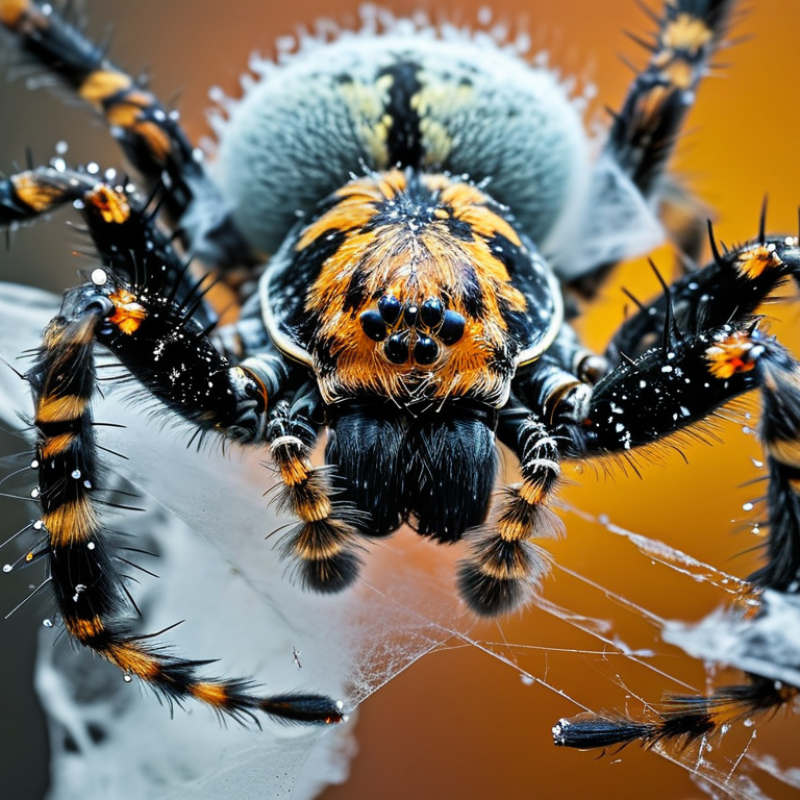
7 Best Ways to Keep Spiders Off Security Cameras?

Identify Why Spiders Gather Around Security Cameras

Spiders often gather around security cameras because the area offers shelter, warmth, and steady food. Camera housings create small, protected corners beneath eaves or walls. At night, indicator lights or infrared illumination may attract flying insects. Those insects become easy prey. Dust, moisture, and nearby plants can also make the location more attractive.

During routine camera checks, I once blamed the camera light for every web. That assumption was wrong. The real cause was an outdoor lamp mounted less than one meter away. After adjusting the lamp, insect activity dropped noticeably. This shows why identifying the source matters before choosing a solution. A clean lens will not help if dense foliage still touches the housing.

Tips: Inspect the camera at dusk. Look for moths, ants, webs, damp surfaces, and nearby lights. Trim branches without blocking the camera’s view. Clean the housing with a soft, dry cloth. Seal obvious gaps around mounting points, but keep vents clear. A light brush can remove fresh webs safely. Avoid spraying chemicals directly onto the lens or microphone. Some surfaces may also become slippery or cloudy.

Check the area again after several nights. Results can vary with weather, seasonal insects, and wall temperature. I have sometimes cleaned a camera twice before noticing a nearby porch light. Small details matter. If webs return quickly, examine the surrounding environment instead of treating only the camera.

7 Best Ways to Keep Spiders Off Security Cameras? - Identify Why Spiders Gather Around Security Cameras

No. Why Spiders Gather Around Cameras Recommended Method How to Apply It Suggested Frequency Important Considerations
1 Camera illumination and nearby outdoor lights can attract flying insects, which are a food source for many spiders. Reduce insect attraction Use motion-activated lighting where practical, avoid unnecessary bright lights near the lens, and keep lights directed toward the ground rather than open air. Review lighting settings seasonally and after repeated insect activity. Reducing light may affect nighttime visibility, so confirm that the camera still provides adequate footage.
2 Camera housings, brackets, eaves, and wall gaps provide sheltered attachment points for webs. Improve the mounting location Move the camera away from dense vegetation, roof corners, exterior lights, and narrow sheltered gaps when the viewing angle allows. Evaluate the location during installation and whenever web buildup persists. Do not reposition the camera if the change creates blind spots or weakens its security coverage.
3 Vegetation near the camera increases insect activity and gives spiders convenient web-building surfaces. Trim nearby vegetation Keep branches, vines, tall grass, and dense plants from touching or closely surrounding the camera and its cable. Inspect monthly during active growing periods and after storms. Avoid cutting vegetation that provides necessary erosion control or habitat without considering local requirements.
4 Old webs and egg sacs can leave a suitable structure that encourages continued web-building in the same area. Clean the camera carefully Turn off or isolate the equipment if appropriate, then remove webs with a soft brush or microfiber cloth. Clean the lens with a suitable lens-safe material. Check weekly during heavy web activity and after windy weather. Do not spray liquid directly onto the lens, microphone, vents, connectors, or other openings.
5 Food, waste, standing water, and damp areas can increase the number of insects around the camera. Control nearby insect sources Remove outdoor food residue, secure waste containers, improve drainage, and eliminate unnecessary containers that collect water. Inspect weekly and after rain or watering. Address moisture safely without directing water toward electrical equipment or cable connections.
6 Some spiders avoid strong airflow, while moving air can make web attachment more difficult around exposed surfaces. Use gentle airflow when suitable In sheltered, accessible locations, use a low-power outdoor-rated airflow solution aimed near—not directly into—the camera housing. Use during periods of repeated web formation and monitor results. Protect the camera from moisture, vibration, excessive dust, and interference with audio or video quality.
7 A concentrated insect population can sustain spiders even after cleaning, especially in warm, humid, or sheltered conditions. Use targeted pest management If necessary, treat the surrounding area with a legally permitted product according to its label, or consult a qualified pest-control professional. Follow the product label or the professional service schedule. Never apply chemicals directly to the camera, lens, cables, or electrical connections; consider children, pets, pollinators, and local regulations.

Practical priority: Start with regular cleaning, reduced insect attraction, vegetation control, and improved placement before considering airflow or chemical treatment.

Clean the Camera Housing and Remove Existing Webs

Spider webs can blur video, trigger false motion alerts, and hide small sections of the camera view. Clean the camera housing during every scheduled inspection. The National Pest Management Association explains that spiders often build webs near outdoor lights because insects gather there. A camera beside a bright entrance may need more frequent care. Do not scrape the lens with a key or dry cloth. Fine scratches can permanently reduce image clarity.

Turn off power when practical, then remove webs with a soft brush or clean air bulb. Wipe the housing with a damp microfiber cloth. Use only a lens-safe cleaner on the transparent cover. The International Electrotechnical Commission’s IEC 60529 standard defines water and dust protection ratings, but an IP rating does not make equipment maintenance-free. Moisture, pollen, and web residue can still collect around seams. Check the seal, cable entry, and mounting bracket while cleaning. I sometimes find the housing looks clean, while a thin film remains over the lens. That small detail matters at night.

Tips: Inspect after windy weather and before important events. Keep exterior lights away from the camera when possible. Trim nearby branches and remove insect nests carefully. Record the cleaning date and the camera’s image quality. A monthly schedule may work, but exposed locations often need weekly checks. There is no universal interval in professional reports. Local insects and weather decide more than the calendar.

Reduce Outdoor Lighting That Attracts Insects

Reducing Outdoor Lighting That Attracts Insects

Outdoor lights can draw moths, flies, and other insects toward a security camera. Spiders follow this food source and often build webs across the lens. Reducing unnecessary light near the camera can make a noticeable difference. I have found that bright, cool-colored bulbs create more insect activity after sunset. Softer, warmer lighting usually causes less disturbance.

Motion-activated lighting is a practical adjustment. It keeps the area dark when nobody is nearby, then provides visibility when movement occurs. Shielded fixtures also help by directing light toward the ground instead of the camera. Avoid placing a lamp directly beside or above the camera. A small change in angle may reduce flying insects around the lens. Results can vary. Some insects still gather around warm lights, even after several adjustments.

Tips: Use the lowest brightness that still captures clear footage. Choose warm-toned bulbs instead of blue-white ones. Clean the camera housing weekly during peak insect seasons. Check nearby walls, eaves, and plants for webs. I once assumed dimming the light solved everything, but a nearby porch lamp continued attracting insects. Moving that lamp several feet away worked better. If nighttime footage becomes too dark, test the camera at different angles before increasing the light. Thin webs can blur faces and movement, especially in humid weather.

Apply Camera-Safe Spider Deterrents

7 Best Ways to Keep Spiders Off Security Cameras?

Apply Camera-Safe Spider Deterrents

Spiders gather around security cameras because lights attract flying insects. Reduce that food source first. Dim nearby lights, redirect them downward, and choose warmer settings when possible.

A 2021 Current Biology study recorded 52% fewer moth caterpillars beside illuminated hedgerows. This supports a practical step: dim nearby lights, redirect them downward, and choose warmer settings when possible.

Remove webs with a soft microfiber cloth each morning. Avoid compressed air, which may push debris into vents or microphones. Trim branches touching the camera, clear dense grass below it, and keep exterior lights away from the lens.

Use physical barriers around the mount and cable entry. A small brush seal or weather-resistant mesh can block crawling routes without covering sensors. Check the camera’s ingress rating before adding anything.

IEC 60529 classifies IP65 equipment as dust-tight and protected against water jets, but added materials can still trap moisture. Do not seal drainage points.

I once focused too much on the lens and ignored the cable gap; spiders simply moved closer.

Choose only a camera-safe, water-based deterrent with clear surface instructions. Apply it to the bracket, wall edge, or nearby trim, never onto the lens, infrared window, speaker, or ventilation slots.

U.S. Environmental Protection Agency integrated pest management guidance favors prevention, monitoring, and targeted treatment over routine chemical use.

Inspect weekly for fresh silk, egg sacs, and insect buildup. If the camera image turns hazy, stop the treatment and clean the surface immediately. That mistake is easy to make.

Seal Nearby Gaps and Maintain the Camera Area

7 Best Ways to Keep Spiders Off Security Cameras?

Seal Nearby Gaps and Maintain the Camera Area

Spiders often choose cameras because insects gather near warm surfaces and night lighting. The National Pest Management Association identifies cracks, vents, and openings around buildings as common pest entry points. Inspect the camera mount, cable opening, wall joint, and nearby soffit. Seal fixed gaps with weather-rated caulk, but keep drainage paths open. Blocking every opening can trap moisture.

Clean the lens housing weekly with a soft, dry cloth. Remove webs from the bracket, cable, eaves, and nearby corners. Trim plants touching the camera. Replace bright exterior bulbs with warmer, less insect-attracting lighting when practical. A 2023 U.S. Department of Energy guidance report notes that sealing uncontrolled air leaks improves building efficiency, and the same habit can reduce pest access around equipment. Use a small brush, not a sharp tool.

Avoid spraying chemicals directly onto the lens or sensor. Residue can blur images and damage seals. Instead, reduce clutter, repair loose fittings, and check the area after rain or strong wind. If webs return quickly, look for an insect source nearby. This step is easy to miss.

The National Pest Management Association recommends routine inspection as part of effective pest exclusion. Still, sealing alone is not perfect. Cameras mounted beneath dense roof edges may need more frequent cleaning, especially in humid seasons. Document the inspection date and image quality. Small maintenance records often reveal patterns before a camera misses important footage.

FAQS

: Why do spiders gather around outdoor cameras?

: Nearby lights attract flying insects, which provide an easy food source. Warm surfaces may also help. Small details matter.

How should I remove webs from a camera?

Turn off power when practical. Use a soft brush or clean air bulb, then wipe the housing gently. Never scrape the lens.

What should I use on the transparent camera cover?

Use a lens-safe cleaner and a clean microfiber cloth. Avoid keys, rough fabric, and dry scraping. Fine scratches can reduce night clarity.

How often should I inspect an outdoor camera?

Check it weekly in exposed, humid, or insect-heavy locations. Monthly checks may suit sheltered areas. Weather decides more than calendars.

What areas should I inspect besides the lens?

Check the bracket, cable entry, wall joint, eaves, and nearby corners. Look for silk, egg sacs, pollen, and insect buildup.

Can nearby lighting increase spider activity?

Yes. Dim bright lights, aim them downward, and consider warmer light settings. Keep lighting away from the camera when possible.

How can I block spider access safely?

Seal fixed gaps with weather-rated caulk or use a small brush seal. Keep drainage paths and ventilation openings clear. Do not trap moisture.

Can I apply a deterrent directly to the camera?

No. Use only a camera-safe, water-based product on the bracket, wall edge, or nearby trim. Keep it away from lenses, sensors, vents, and speakers.

What should I do if the image becomes hazy?

Stop using the treatment and clean the surface immediately. Check for residue, moisture, or a damaged seal. I sometimes overlook thin films, especially at night.

How can I know whether maintenance is working?

Record inspection dates, image quality, weather, and web buildup. Compare the notes after rain or strong wind. The pattern may reveal an overlooked insect source.

Conclusion

Spiders often gather around security cameras because the area provides shelter, warmth, and easy access to insects attracted by nearby lights. To keep them away, first identify what is drawing them in, then carefully clean the camera housing, lens surroundings, and mounting area to remove existing webs and egg sacs. Regular maintenance can prevent webs from returning and help preserve clear video footage.

If you are wondering, “How to stop spiders from making webs on security cameras?”, begin by reducing outdoor lighting near the camera or using less insect-attracting light settings. You can also apply a camera-safe spider deterrent around the surrounding surface, avoiding the lens, vents, and electrical openings. Finally, seal cracks, holes, and nearby gaps where spiders may enter, while keeping plants, clutter, and debris trimmed away from the camera. A cleaner, less attractive environment offers the most reliable long-term protection.

Oliver

Oliver

Oliver is a seasoned marketing professional with a wealth of expertise in driving brand awareness and engagement. With a deep understanding of our company's product offerings, he consistently delivers high-quality content that enriches our professional blog. His insights not only shed light on......