In the realm of home and business security, many users have experienced a common frustration: the delay in live feed from security cameras. The question arises, "Why is there a delay in my security camera live feed?" This issue can stem from various factors that impact both the quality and speed of transmission. As technology evolves, security systems are becoming more complex, relying heavily on internet connections and advanced software.
Latency can be influenced by several factors, including network bandwidth, camera settings, and the type of connection used. For instance, a poor Wi-Fi signal can lead to noticeable delays. Additionally, video compression techniques, while helpful for reducing storage space, can introduce latency. Even the processing power of the camera itself plays a vital role in overall performance and responsiveness.
Understanding these factors is crucial for users. It allows them to troubleshoot issues and optimize their security setups. However, pinpointing the exact cause can sometimes feel overwhelming. Armed with the right knowledge and a little patience, addressing these delays becomes a manageable challenge.
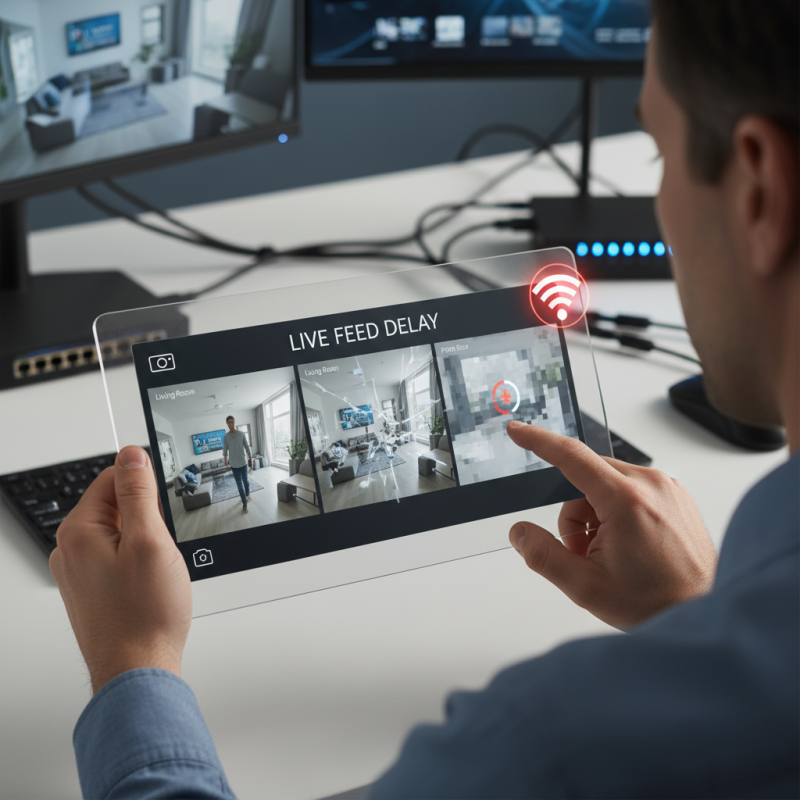
Live feed delays in security cameras can be frustrating. Many people rely on these systems for safety. However, technology isn’t perfect. Factors like internet speed can impact performance. A slow connection leads to lag in video streams. If your bandwidth is limited, your camera's feed may suffer. Even minor fluctuations in your network can cause interruptions.
Another significant cause is the camera's encoding method. Different cameras use various formats for streaming video. Some formats may process data more efficiently than others. This inefficiency can lead to noticeable delays. Additionally, camera placement matters. If a camera has obstacles obstructing its signal, it may create issues. Walls or interference from other devices can impact transmission quality.
In 2026, the rise of smart home devices increases demand for bandwidth. As more devices connect, competition for internet speed grows. This environment can lead to further delays in live feeds. It’s vital to assess your home network regularly. Upgrading your router or optimizing your Wi-Fi might help. Focus on creating a reliable environment for your security system. Reflecting on these factors can improve the reliability of your security feeds.
| Cause of Delay | Explanation | Estimated Delay (Seconds) | Solution |
|---|---|---|---|
| Network Latency | High latency in the network can cause delays in video transmission. | 1-5 | Upgrade to a fiber-optic connection. |
| Bandwidth Limitations | Insufficient bandwidth can limit the data transfer rate for video feed. | 2-10 | Increase internet package or reduce other usages. |
| Camera Processing Speed | Outdated hardware may take longer to encode and transmit the video. | 0.5-3 | Upgrade camera firmware or replace with a new model. |
| Environmental Factors | Obstacles or signals interference can disrupt the video feed. | 1-4 | Reposition camera or eliminate interference sources. |
| System Overload | Too many devices connected to the same network can overload the system. | 2-6 | Limit connected devices or segment the network. |
: Delays often occur due to insufficient network bandwidth, especially when multiple devices share the connection.
A standard high-definition camera requires about 3 to 5 Mbps for optimal performance.
A weak signal from a far camera can increase buffering times and cause lag in the feed.
Key factors include resolution, frame rate, and compression methods which can all introduce latency.
Implementing QoS settings on routers can help prioritize video traffic and reduce delays.
Yes, using wired connections can significantly decrease latency compared to wireless setups.
Regularly check for firmware updates and monitor internet speed to ensure optimal performance.
Many users lack understanding of their network infrastructure, leading to suboptimal settings.
Over 40% of users express dissatisfaction due to delays caused by compression and network issues.
Older hardware may not support new tech, leading to performance issues and increased feed delays.
In discussing the question, "Why is there a delay in my security camera live feed?", it’s essential to understand several key factors that contribute to live feed latency. Network bandwidth plays a crucial role, as insufficient bandwidth can lead to slower data transmission, resulting in delays. Additionally, the use of compression algorithms can impact performance. These algorithms are designed to reduce file sizes for transmission but may introduce latency in the process.
Furthermore, the specifications of the camera hardware itself can affect live feed delays. High-resolution cameras, while providing clearer images, often require more processing power and bandwidth, potentially resulting in slower feeds if not properly supported. To minimize these delays, users can implement best practices such as optimizing network configurations, choosing appropriate camera settings, and ensuring that hardware meets operational requirements. By addressing these factors, it's possible to achieve more efficient and timely live feeds in security systems.

 AxizView Camera